
Download Nokia Suite – Nokia Ovi Suite, Nokia device management, content transfer, software update, backup and restore, Nokia Store, Symbian update, mobile app for Windows
Overview
Nokia Suite, previously known as Nokia Ovi Suite, is a desktop application developed by Nokia to serve as a central hub for managing Nokia mobile devices on Windows platforms. Designed primarily for users of older Nokia smartphones, particularly those running Symbian-based operating systems such as Symbian^3, Symbian Anna, and Nokia Belle, the software enables seamless integration between mobile devices and personal computers. Its core purpose is to streamline content management, facilitate software updates, and provide access to digital content through the Nokia Store.
The app addresses key challenges faced by users of legacy Nokia devices, including difficulty in transferring media files, managing device backups, and keeping software up to date. It is especially beneficial for individuals who rely on older Nokia handsets and wish to maintain functionality, security, and data integrity without upgrading their hardware. By offering a unified interface for file synchronization and device maintenance, Nokia Suite plays a significant role in extending the usability and lifespan of supported devices.
Although the developer did not provide additional technical details about the application’s architecture or development timeline, its long-standing presence in the mobile ecosystem underscores its reliability for its target audience. The software remains relevant for users seeking a stable, dedicated tool for managing Symbian-era Nokia phones, particularly in environments where newer cloud-based solutions are not viable.
Key Features & Functionality
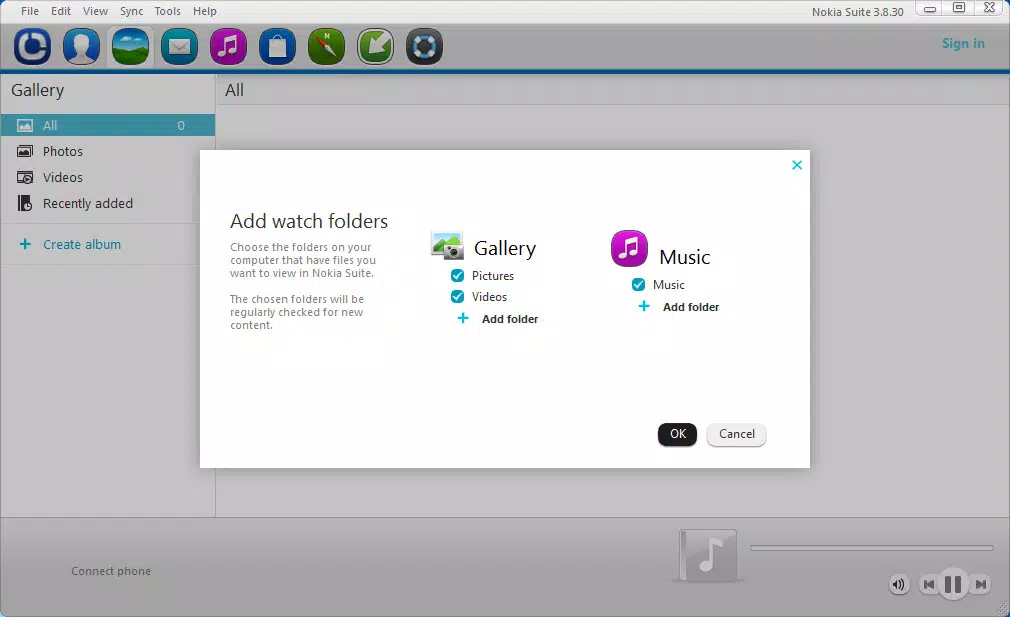
- Content Management: Enables users to transfer photos, videos, music, and documents between their Nokia devices and Windows PCs with minimal effort. This feature is ideal for organizing media libraries and ensuring files are accessible across devices.
- Software Updates: Delivers official firmware updates for supported Symbian devices, helping users install the latest security patches, bug fixes, and performance improvements directly through the desktop interface.
- Backup and Restore: Allows users to create full backups of their device data—including contacts, messages, settings, and media—providing a safety net against data loss due to hardware failure or accidental deletion.
- Access to Nokia Store: Offers a direct gateway to the Nokia Store from the desktop, enabling users to browse, download, and install free apps, games, and entertainment content compatible with their device.
- Symbian Update Support: Specifically designed to support Symbian^3, Symbian Anna, and Nokia Belle platforms, ensuring continued functionality and feature enhancements for legacy Nokia smartphones.
These features collectively enhance the user experience by reducing dependency on internet-based services and offering a more controlled, localized approach to device management. For example, a user can back up their entire phone before a major update, transfer a collection of vacation photos to their PC, or install a new game from the Nokia Store—all without needing a mobile data connection.
Interface, UX & Performance
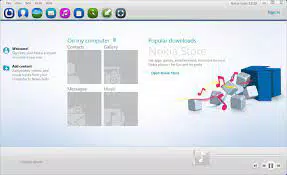
The interface of Nokia Suite is designed with functionality over aesthetics, reflecting its role as a utility tool rather than a consumer-facing application. It features a clean, task-oriented layout with clearly labeled sections for content transfer, updates, backup, and the Nokia Store. Navigation is straightforward, relying on a sidebar menu and tabbed views to guide users through core workflows.
Users can expect consistent performance across a range of Windows systems, although the developer did not list formal performance metrics or system requirements. The application runs efficiently on older Windows versions, which aligns with its target audience of users still operating legacy Nokia devices. Responsiveness is generally reliable during file transfers and update processes, though complex operations may require several minutes depending on file size and system load.
Stability appears to be a strength, as the software has maintained a consistent presence since its initial release in 2012. While no recent updates have been issued, the application remains functional for its intended use cases. Although the developer did not specify minimum OS requirements, users are advised to ensure compatibility with their Windows environment before installation.
Platform Compatibility & Technical Requirements
Nokia Suite is exclusively available for the Windows platform. The current version is 3.8.52.0, with a file size of 156.7 MB. The application is distributed free of charge, making it accessible to users who wish to manage their Nokia devices without additional cost.
The developer did not specify minimum OS requirements or compatibility details for newer Windows versions. As such, users should verify whether the software runs on their system, especially if using Windows 10 or later. While the app was originally designed for older Windows systems, some users may still find it operational on modern machines through compatibility modes or virtual environments.
Pros and Cons
Pros
- Free to download and use, with no hidden costs.
- Comprehensive content transfer capabilities for photos, music, and files.
- Supports official software updates for legacy Symbian devices.
- Provides reliable backup and restore functionality for critical data.
- Offers direct access to the Nokia Store for app and game downloads.
Cons
- Only compatible with Windows, limiting usability for macOS or Linux users.
- Supports only older Symbian-based Nokia devices, excluding modern smartphones.
- No recent updates since 2012, raising concerns about long-term compatibility.
- Interface design reflects older software standards, which may feel outdated.
- Does not support newer mobile operating systems or cloud-based synchronization.
FAQ
Is Nokia Suite safe to download and install?
Yes, Nokia Suite is a legitimate software tool developed by Nokia. It is distributed through official channels and does not contain malware or unauthorized components. However, users should always download from trusted sources to avoid tampered versions.
Can I use Nokia Suite on Windows 10 or Windows 11?
While the developer did not confirm compatibility with Windows 10 or 11, some users have reported success using the software with these systems via compatibility mode. It is recommended to test the application in a controlled environment before full deployment.
Does Nokia Suite support modern Nokia smartphones?
No, Nokia Suite is designed exclusively for older Symbian-based Nokia devices such as those running Symbian^3, Symbian Anna, and Nokia Belle. It does not support devices with Android, iOS, or newer Nokia operating systems.
Can I transfer files without connecting my phone via USB?
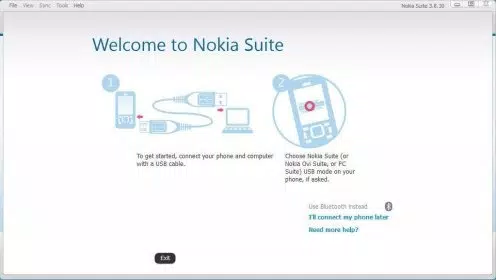
Currently, Nokia Suite requires a physical USB connection to synchronize content. Wireless transfer options are not supported within the application.
Is Nokia Suite still being updated?
As of the latest available information, no updates have been released since 2012. The software remains functional for its intended use but is not actively maintained.
Final Thoughts
Nokia Suite remains a valuable tool for users still relying on legacy Nokia smartphones powered by Symbian. Despite its age and lack of recent updates, it continues to offer essential functionality—content management, software updates, backup, and access to the Nokia Store—that is difficult to replicate with modern alternatives. Its free availability and dedicated support for specific device models make it a reliable choice for maintaining older hardware.
While the interface may feel outdated and compatibility with newer operating systems is uncertain, the app’s core features remain effective for its intended audience. For anyone managing a Symbian-era Nokia phone, Nokia Suite provides a stable, no-cost solution to keep their device running smoothly.
Download Nokia Suite now


